
SEO SKILL
Technical SEO audit


A nine-category technical audit: crawlability, indexability, security, URLs, mobile, Core Web Vitals, structured data, JavaScript rendering and IndexNow.
No key, no account needed Claude Code
bash install.sh # from a clone of github.com/AgriciDaniel/claude-seo, pinned to v2.3.1Run this in a terminal inside your project folder. Claude Code, Cursor and Codex then read the skill from where it lands.
- Step 01Open a terminal in your project folder
- Step 02Paste the command and press Enter
- Step 03Pick the agents to install to
- Step 04Ask the agent for the job; it reads the skill
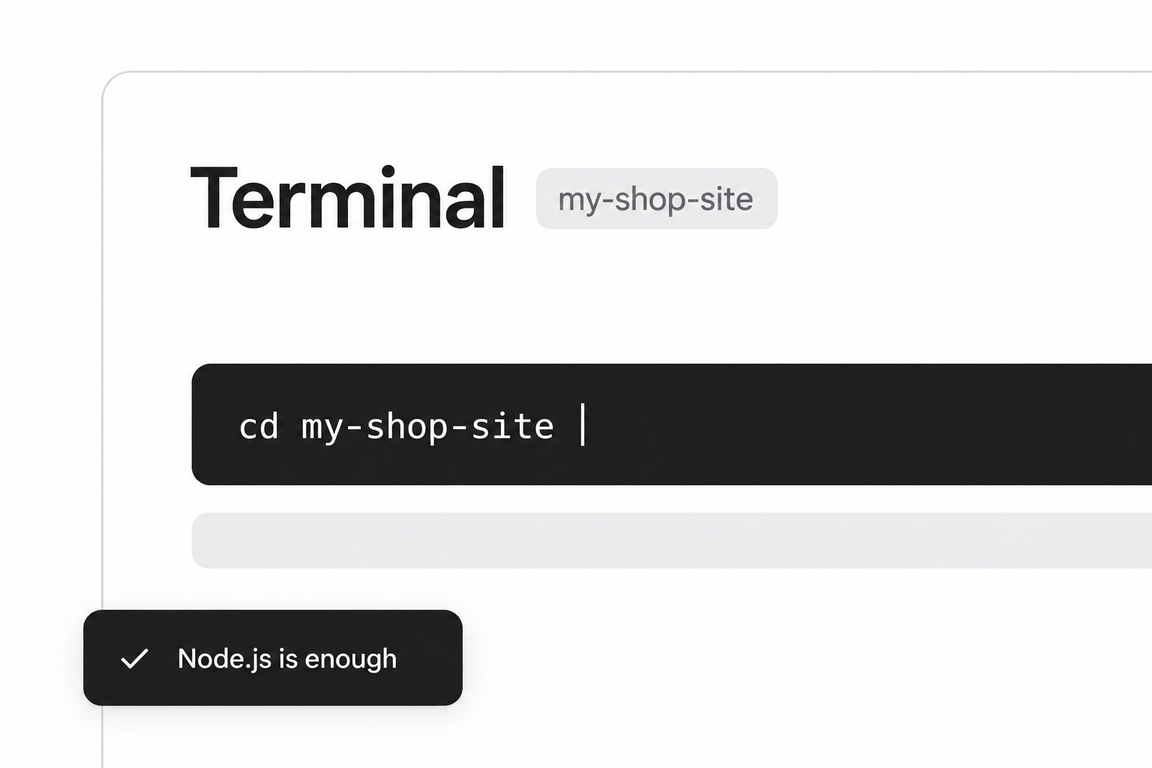
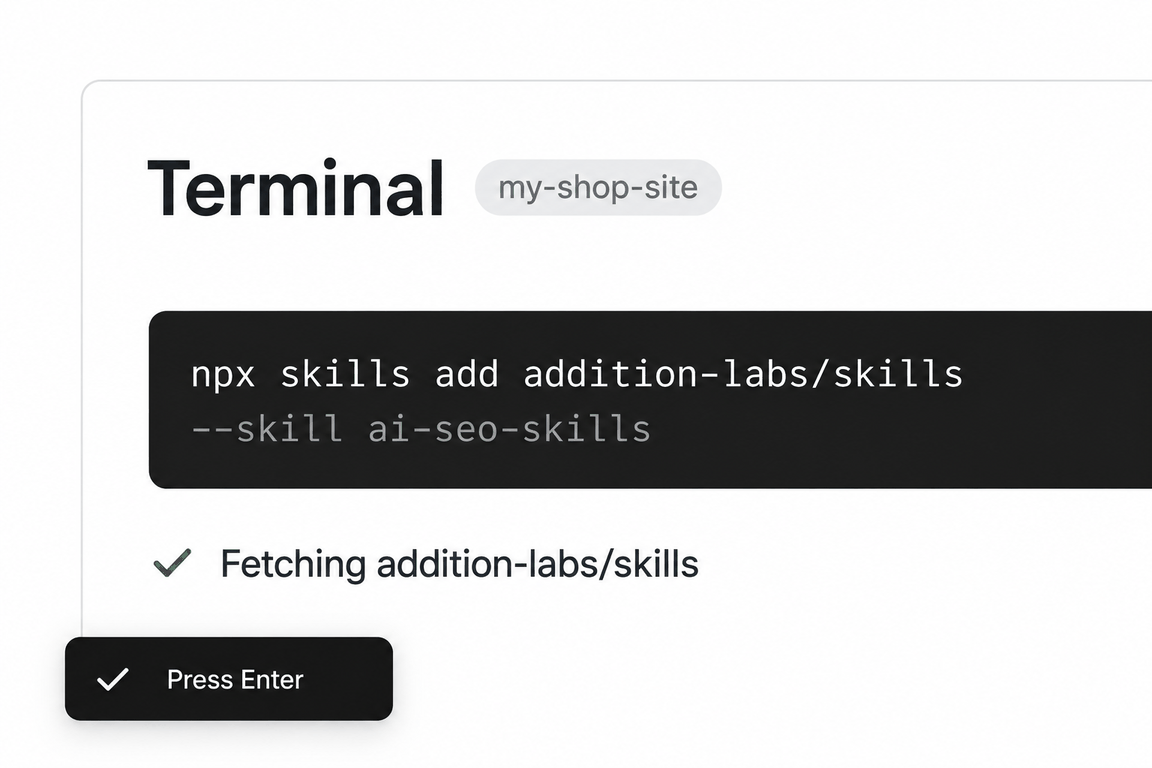
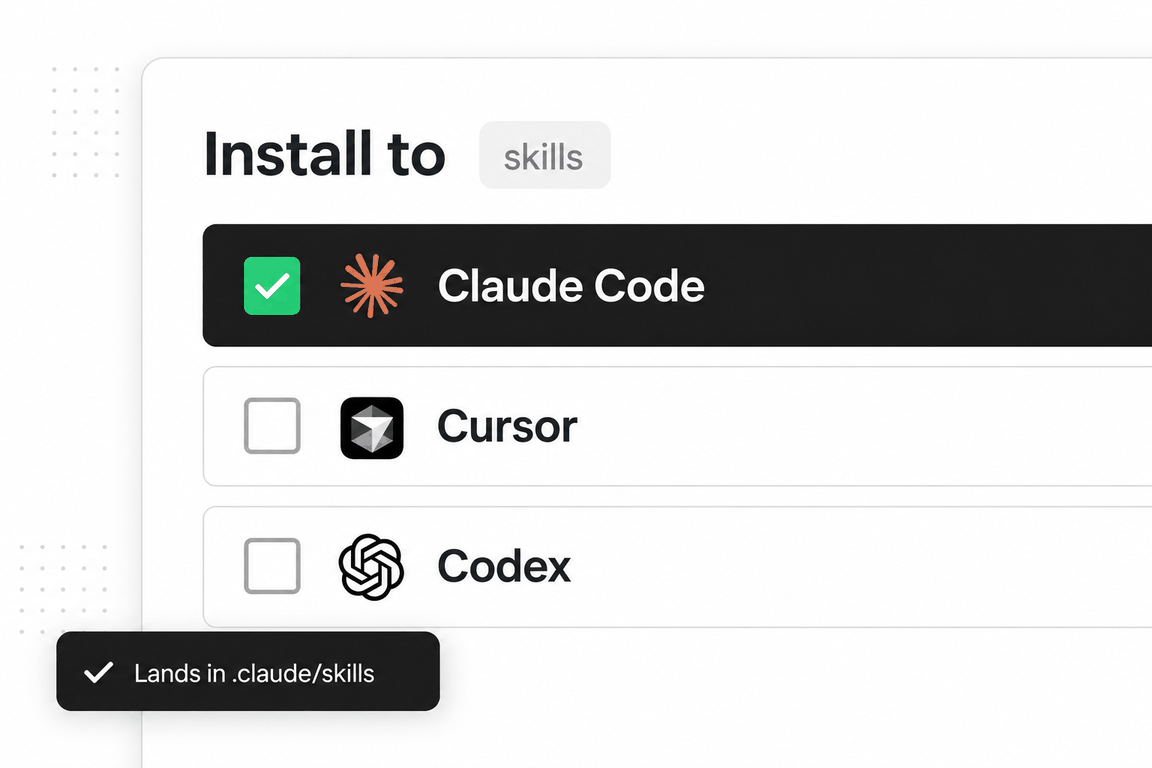
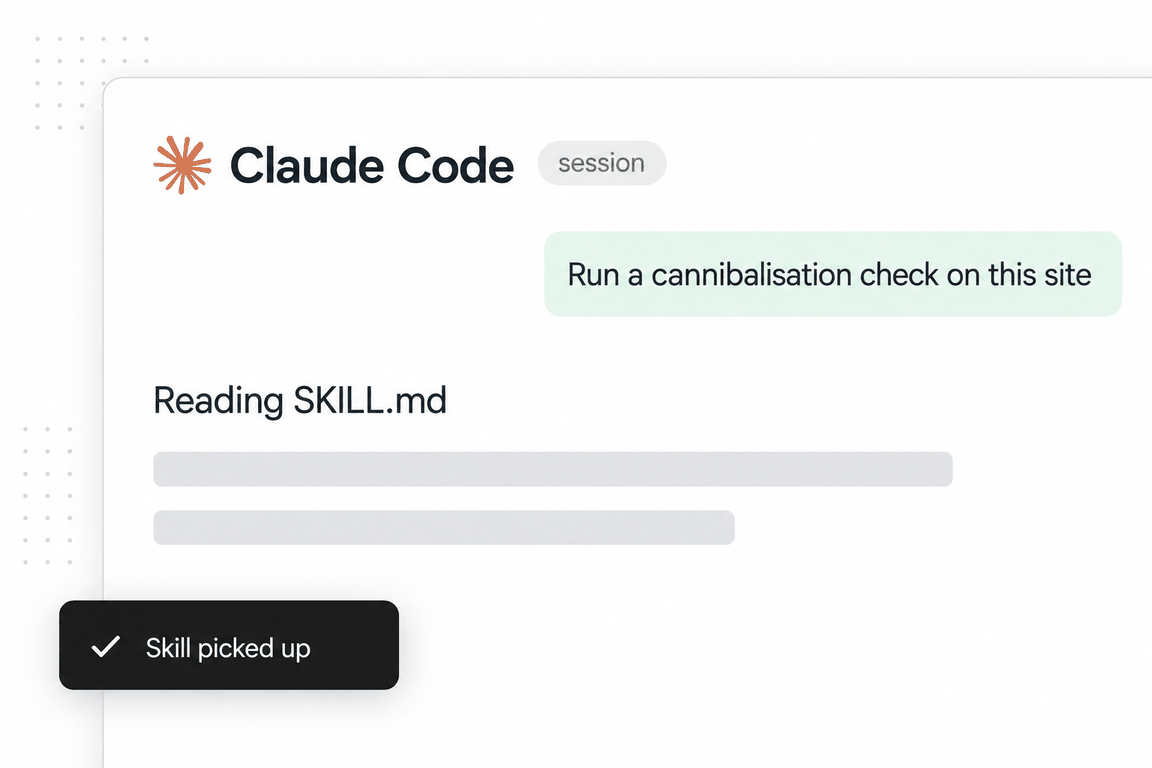
seo-technicalAgriciDaniel/claude-seoMIT licencev2.3.1updated 2026-09-10
This is the densest of the claude-seo sub-skills and the one whose text is closest to primary sources. It quotes Googlebot’s 2 MB HTML fetch cap, the removal of manual crawl-rate control, the December 2025 JavaScript SEO clarifications, and the back-button hijacking spam policy with its enforcement date.
It also carries the AI-crawler table that most SEO advice gets wrong: which user agent governs training versus search citability for OpenAI, Anthropic, Google and Apple, and the note that user-triggered fetchers ignore robots.txt by design.
Output is a category table with pass, warn or fail and a score per row, then issues in four priority bands.
When to use it
The phrases that trigger it
Say any of these and an agent that has the skill installed will usually load it; you can also call it by name. The phrases are the skill’s own, from its description.
- technical SEO
- crawl issues
- robots.txt
- Core Web Vitals
- site speed
- security headers
What’s inside
The playbook, section by section
Crawlability with fetch limits
The 2 MB HTML cap, auto-adjusting crawl rate, the moved crawler documentation, and the end of AMP Cache advice.
The AI crawler table
GPTBot versus OAI-SearchBot, ClaudeBot versus Claude-SearchBot, Google-Extended versus Googlebot, Applebot-Extended versus Applebot, with the claim each one can and cannot support.
Rendering strategy
SSR, SSG and CSR by use case; dynamic rendering flagged as technical debt with Google’s own wording; the four December 2025 canonical and noindex clarifications.
Agent-friendly pages
An Agent-UX score from the accessibility tree: real buttons and anchors, labelled inputs, the share of role="generic" nodes, and the Lighthouse Agentic Browsing category.
Local and private hosts
A written policy for auditing localhost or a Tailscale host without opening the fetcher to SSRF.
Reference files the agent loads on demand
One file in the skill folder, read only when an instruction calls for it.
agent-friendly-pages.md- An audit checklist for pages that AI agents can reach, navigate and parse, built on Google’s AI optimization guide.
See it in action
One real run, in full
The request on the left went to the skill as installed. On the right is everything it returned, unedited; scroll inside the box to read it all.
Run the technical SEO audit on https://addition-labs.com. No Google API credentials. Give the category table and the prioritised issues.
Technical SEO Audit: https://addition-labs.com
Audited 2026-09-11. Method: robots.txt + sitemap_discovery.py, raw HTTP fetch of all 168 sitemap URLs, Playwright render of the homepage (render_page.py, agent_ux_check.py), and a lab Playwright pass (mobile 390px + desktop 1366px) on three pages. No Google API credentials, so there is no CrUX field data and no Search Console indexation data; Core Web Vitals below are lab proxies only.
Technical Score: 70/100
Category Breakdown
| Category | Status | Score |
|---|---|---|
| Crawlability | warn | 72/100 |
| Indexability | warn | 80/100 |
| Security | warn | 65/100 |
| URL Structure | pass | 88/100 |
| Mobile | warn | 70/100 |
| Core Web Vitals | warn | 60/100 |
| Structured Data | pass | 92/100 |
| JS Rendering | warn | 70/100 |
| IndexNow | warn | 30/100 |
What was measured, per category
1. Crawlability
robots.txtexists, is valid, allows everything (User-agent: * / Allow: /) and declaresSitemap: https://addition-labs.com/sitemap.xml. No AI-crawler rules of any kind (GPTBot, OAI-SearchBot, ClaudeBot, PerplexityBot, Google-Extended all allowed by default)./llms.txtis present (200).sitemap_discovery.py: one validurlsetfound via robots.txt (200).sitemap_index.xml,sitemap-index.xml,wp-sitemap.xmlall 404 (expected, no stale declarations).- Sitemap: 168 URLs, all returned 200, all self-canonical, no
<lastmod>on any entry. - One site-wide broken internal link: the mobile nav (Shopify group) links to
/shopify/chatgpt-ads, which returns 404. The same link appears in the body of/shopify/seo,/shopify/cro,/shopify/google-ads,/shopify/aeo. The URL is not in the sitemap. /resources/blogis in the sitemap but is not linked from any page body, nav or footer (4,239 words of content with no internal path to it).- Nav + footer are empty in the raw HTML (
<header id="site-nav"></header>,<footer id="site-footer"></footer>) and are injected by/assets/index-BUdZcDE1.js. Raw homepage HTML exposes 5 internal links; the rendered homepage exposes 97. Crawlers that do not execute JS see almost no internal navigation (see JS Rendering). - Custom 404 returns a real 404 status (79-byte plain-text body). Uppercase URL variant
/Services/SEOreturns 404 (case-sensitive, no soft-404). - Largest HTML document 112 KB, far under Googlebot's 2 MB fetch cap. Crawl depth: every sitemap URL is reachable within 2 clicks via the rendered mega-nav.
2. Indexability
- 168/168 pages: exactly one
<h1>, unique<title>, self-referencing canonical, nonoindex. Legal pages (/privacy,/terms,/cookies) carrynoindex,followintentionally and are correctly excluded from the sitemap. - Duplicate hosts:
https://www.addition-labs.com/returns 200 with the full page (own Let's Encrypt cert) instead of redirecting to the apex;http://www.308s tohttps://www., not to the apex./index.htmlalso returns 200. All three carry a canonical tohttps://addition-labs.com/, so consolidation relies on canonical hints rather than redirects. - Thin pages (<300 words in raw HTML):
/contact(78),/shopify(83),/industries(162),/services(184),/industries/b2b(274). These are hub pages; the risk is low but they compete with the richer child pages for their own head terms. - Hreflang: none, single-language English site (
<html lang="en">), nothing required. Pagination: none observed.
3. Security
- HTTPS enforced:
http://308s tohttps://in one hop. Certificate valid (Let's Encrypt, expires 2026-11-09). No mixed content (0 http:// subresources on the rendered homepage). Strict-Transport-Security: max-age=63072000present, but withoutincludeSubDomainsorpreload(not preload-eligible as configured).- Missing on every response:
Content-Security-Policy,X-Frame-Options,X-Content-Type-Options,Referrer-Policy. - Back-button hijacking: none.
history.pushState/replaceStateare native in the rendered page and the 20 KB main bundle contains zero references to either. Access-Control-Allow-Origin: *is set on HTML responses (harmless for a static marketing site, noted only).
4. URL Structure
- Lowercase, hyphenated, descriptive, no query parameters for content, no URL over 100 characters. Logical hierarchy (
/services/seo/technical,/industries/ecommerce/pet,/resources/guides/...). - Trailing slashes: consistently stripped via 308 (
/services/→/services). No redirect chains observed (max 1 hop). - Only gap: the www host is not redirected (covered above).
5. Mobile Optimization & Page Experience
<meta name="viewport" content="width=device-width, initial-scale=1.0">present. No horizontal scroll at 390px (scrollWidth 390 = innerWidth) on all three pages tested.- Base font 16.3px on mobile, but the smallest rendered paragraph text is 10.56px (home,
/services/seo) and 11.2px (guide page). - Touch targets: 112 (home), 94 (
/services/seo), 87 (guide) anchors/buttons render under 24px in at least one dimension on mobile, almost all of them 18 to 23px-tall text links in the footer link lists and the mega-nav. This fails the skill's 48x48 target and WCAG 24x24. - 86 of 91
<img>on the homepage have nowidth/heightattributes; lab CLS stayed at ~0 because the layout reserves space via CSS, so this is a latent rather than observed problem. - Content parity: the site serves one HTML to all user agents (static build), so mobile/desktop content, titles, canonicals and structured data are identical. No interstitials, no consent-wall, no tabbed/accordion primary content.
6. Core Web Vitals (lab proxies only, no field data)
- CrUX/PSI unavailable without Google API credentials. The figures below are single lab runs over a fast local connection; they are lower bounds, not what users on 4G see.
- Homepage mobile: TTFB 168 ms, FCP 548 ms, LCP 672 ms (
<img>in the hero), CLS 0.000004, load event 2.4 s, 18.0 MB transferred over 60 requests. Desktop: LCP 348 ms (h1), 18.7 MB. - Weight is almost entirely uncompressed PNG: six
/img/process/*.pngat 1.19 to 1.70 MB each (8.3 MB total), three hero screenshots at ~1.0 to 1.1 MB each (seo.png,aeo.png,google-ads.png, none lazy-loaded, nofetchpriority/preload), six/img/screens/*.pngat 0.6 to 0.9 MB, and CSS-background icons (pen-*.png) at 180 to 294 KB each. The one WebP hero asset (chatgpt-ads-official.webp) is 177 KB for a comparable image, which shows the available saving. /services/seomobile: 3.7 MB, LCP 888 ms desktop./resources/guides/ai-visibility: 290 KB, LCP 136 ms. The problem is concentrated on the homepage and image-heavy service pages.- INP: not measurable without user interaction data; the main JS bundle is small (20 KB) and no long-task-prone third-party scripts load (zero third-party requests), so INP risk is low.
7. Structured Data
- JSON-LD only, all in the initial server HTML, every block parses as valid JSON (168 pages, 186 blocks). Homepage:
Organization(legalName, address, email, sameAs, logo) +WebSitein a@graph. - Across the site:
BreadcrumbList148,FAQPage94,Article81,Service55,WebApplication16,CollectionPage10,ItemList8,WebPage3,AboutPage1,ContactPage1. - Note:
FAQPagerich results are only shown by Google for authoritative government and health sites, so the 94 FAQPage blocks are valid markup but should not be expected to produce rich results. Full validation is the seo-schema skill's job.
8. JavaScript Rendering
- Static pre-rendered build (Vite).
render_page.pyreportsis_spa: false; the primary content, title, meta, canonical and JSON-LD are all in the raw HTML (homepage raw 37.8 KB / 714 words; rendered 83 KB). No dynamic rendering or prerender service detected (same response to default UA). - The exception is the global header/nav and footer, which are 100% client-rendered. Raw HTML → rendered HTML internal links on the homepage: 5 → 97. Google will render and see them (with the usual render-queue delay), but any fetcher that reads only the server HTML (including AI search fetchers) receives a homepage with no navigation, no footer links, no breadcrumbs-as-links and no path to the Shopify, industries or resources sections. Canonical and robots directives are not touched by JS, so the December 2025 canonical/noindex conflict cases do not apply.
9. IndexNow
- No IndexNow key file or
IndexNow-Keyheader detected, and nothing can be verified without knowing the key name. Treated as not implemented. The site is a static Vercel build with 168 URLs and nolastmodin the sitemap, so Bing/Yandex/Naver discovery of updates currently relies on recrawl alone.
Agent-friendly pages (opportunity, not scored)
agent_ux_check.py: Agent-UX 100/100. 26 real<button>, 216 real<a>, 0<div onclick>widgets, 36 semantic landmarks, 0 inputs without<label for>, 0 unnamed interactive nodes in the accessibility tree (1,513 nodes, 164 interactive,role=generic61). The 4 inputs flagged as lacking ARIA attributes do have associated labels, so no action needed.
Critical Issues (fix immediately)
- None. HTTPS, canonicals, robots.txt, sitemap and status codes are all sound; no back-button hijacking, no accidental noindex.
High Priority (fix within 1 week)
- Broken site-wide nav link:
/shopify/chatgpt-adsreturns 404 and is linked from the global mobile nav plus four Shopify sub-pages. Either publish the page (and add it to the sitemap) or remove the link. - Homepage weight 18 MB, mostly PNG: convert
/img/process/*.png(8.3 MB),/img/hero-search/*.png(3.1 MB) and/img/screens/*.png(4.3 MB) to WebP/AVIF at display size, and addloading="lazy"to everything below the fold (the six process images are below the fold and load eagerly). Addfetchpriority="high"to the mobile LCP hero image. This is the single change most likely to move real-user LCP, which lab timing on a local connection cannot show. - Server-render the header and footer: the nav and footer are empty in the HTML and injected by JS. Since the rest of the site is already statically built, emitting the nav/footer markup at build time removes the render dependency for internal-link discovery (5 → 97 links on the homepage) for every crawler and AI fetcher that does not execute JS.
Medium Priority (fix within 1 month)
- Redirect www to apex:
https://www.addition-labs.com/*serves 200 with duplicate content; add a 308 tohttps://addition-labs.com/*(Vercel domain redirect). Also redirect/index.html→/. Canonicals currently cover this, but redirects are the unambiguous fix. - Security headers: add
X-Content-Type-Options: nosniff,Referrer-Policy: strict-origin-when-cross-origin,X-Frame-Options: DENY(or CSPframe-ancestors), and aContent-Security-Policy; extend HSTS tomax-age=63072000; includeSubDomains; preloadonce www redirects. Ranking impact is minimal; this is hygiene. - Touch targets and small text on mobile: footer link lists and mega-nav leaves render at 18 to 23px tall; give them at least 24px (ideally 44 to 48px) tap height with 8px spacing, and raise the 10.56px / 11.2px caption text to 12px+ on mobile.
- Link
/resources/blog: 4,239 words of content are in the sitemap but reachable from no page. Add it to the Resources nav group and to the/resourceshub. - Sitemap
<lastmod>: add accurate last-modified dates to the 168 entries so Google and Bing can prioritise recrawl of changed pages.
Low Priority (backlog)
- IndexNow: add a key file at the root and submit changed URLs on deploy (Bing, Yandex, Naver; Google does not use it).
indexnow_submit.pyin this plugin can send the pings. - Image dimensions: add
width/height(or CSSaspect-ratio) to the 86 homepage<img>elements without them, to keep CLS at 0 as layouts change. - Thin hub pages (
/contact78 words,/shopify83,/industries162,/services184): add a short descriptive intro per hub so they can rank for the head term rather than deferring to children. - AI crawler policy: robots.txt has no AI-crawler directives, which means everything is allowed. That is the right default for an agency that sells AI visibility; document the decision so it is not "fixed" later by a blanket GPTBot/ClaudeBot block that would also be read as an AEO contradiction.
- FAQPage expectations: keep the markup, but do not count on FAQ rich results outside government/health domains.
- Custom 404 page: the 79-byte plain-text 404 returns the correct status but offers no navigation back into the site.
Data not available in this run
- Core Web Vitals field data (CrUX, PageSpeed Insights) and 25-week trends: require Google API credentials.
- Real indexation status per URL (
gsc_inspect.py): requires Search Console access. - IndexNow key verification: requires the key name.
What this run could not do
No CrUX or PageSpeed field data (no Google API credentials), no Search Console indexation status, no DataForSEO tools, no IndexNow key verification. Every Core Web Vitals figure is a single-run lab proxy and is labelled as such.
Method behind it
Where we would differ, and why
Our Core Web Vitals glossary explains the 75th-percentile rule and why lab numbers and field numbers disagree, which is exactly the gap this skill closes when you add Google credentials. Read it before you trust a lab-only score.
The skill lists IndexNow as a ninth category. Google does not use IndexNow; for a store whose traffic is Google, that row is a nice-to-have, not a finding.
Security headers get their own category. Google’s own guidance, which the skill quotes, says HTTPS is a lightweight signal and the rest are not ranking factors; we would report them but not score them.

SKILL.md
The file the agent reads
Written by Daniel Agrici and published under the MIT licence. Read the full file (2,357 words) on GitHub, at the commit we reviewed: AgriciDaniel/claude-seo/skills/seo-technical/SKILL.md. The reference files are in the same folder.
Questions
Questions people ask before installing
Is the Core Web Vitals check real field data?
Only with Google API credentials configured. Without them the skill estimates from lab tools and says so; the page-experience section is explicit that only field CWV feeds ranking.
Can it audit a site behind login or on localhost?
Localhost only when you allow-list the host in CLAUDE_SEO_LOCAL_TARGETS, and only for the first top-level URL over raw HTTP. Logged-in pages are out of scope.
Does it fix anything?
No. It reports. The robots.txt example blocks and the rendering recommendations are text you apply.