
PAID ADS SKILL
Tracking plan and GA4 setup


Set up or audit measurement: a tracking-plan framework, object-action event naming, GA4 and Tag Manager implementation, UTM conventions, and a debugging checklist.
No key, no account needed Claude Code
 Cursor
 CodexWindsurfany agent that reads SKILL.md
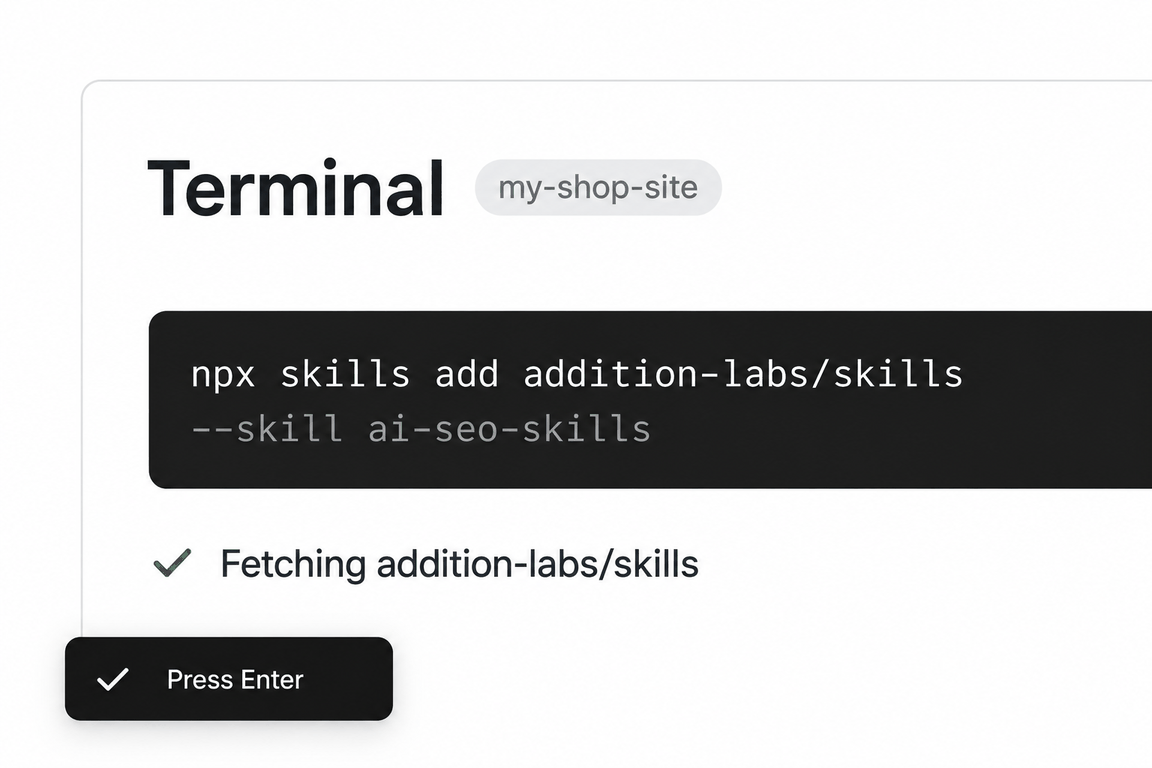
npx skills add addition-labs/skills --skill analyticsRun this in a terminal inside your project folder. Claude Code, Cursor and Codex then read the skill from where it lands.
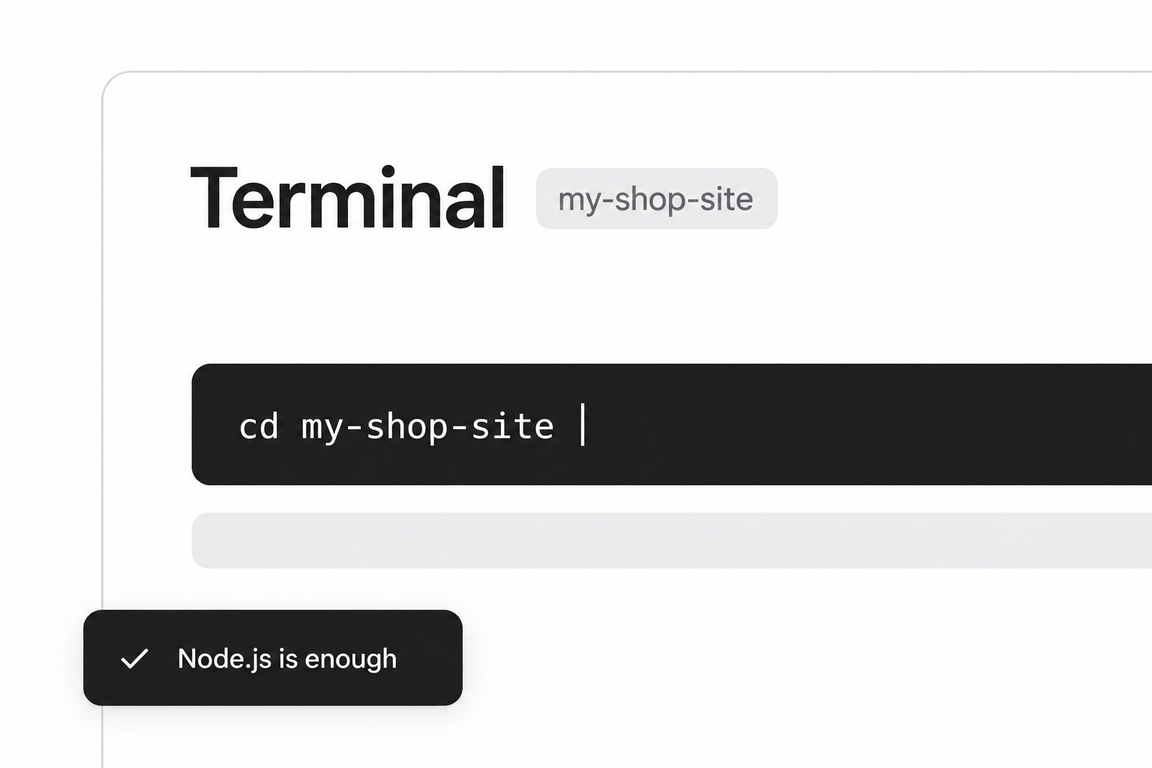
- Step 01Open a terminal in your project folder
- Step 02Paste the command and press Enter
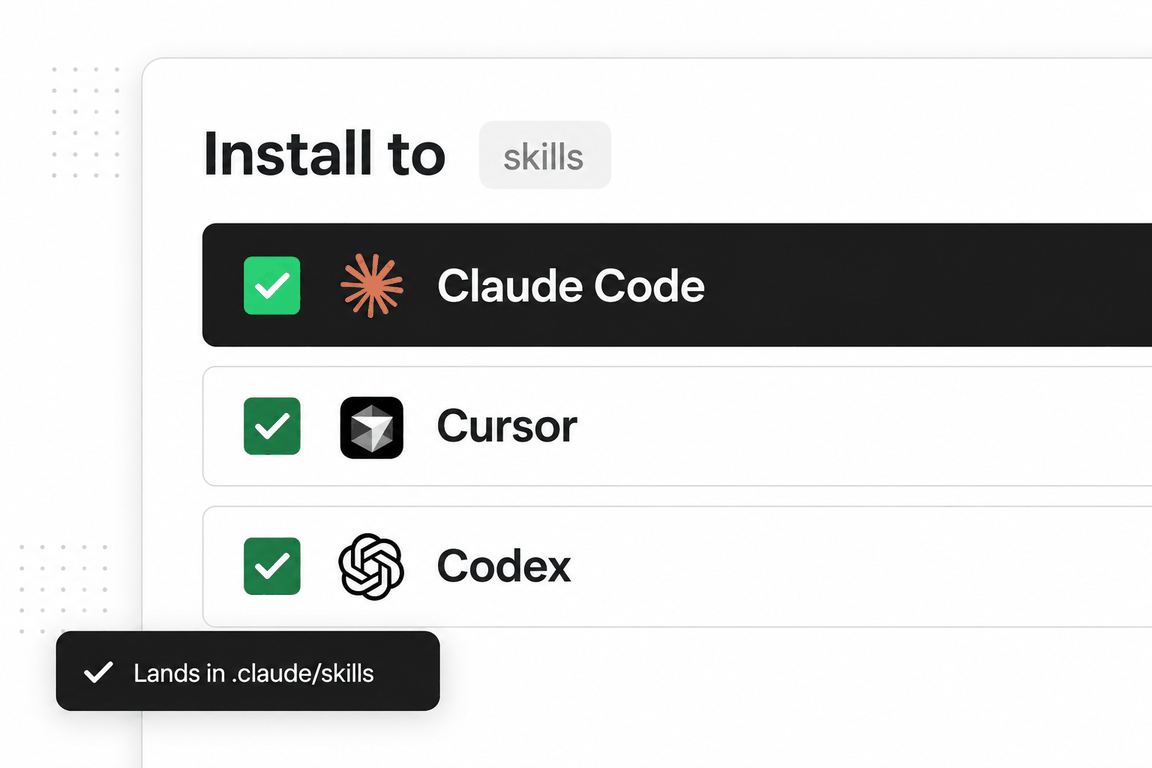
- Step 03Pick the agents to install to
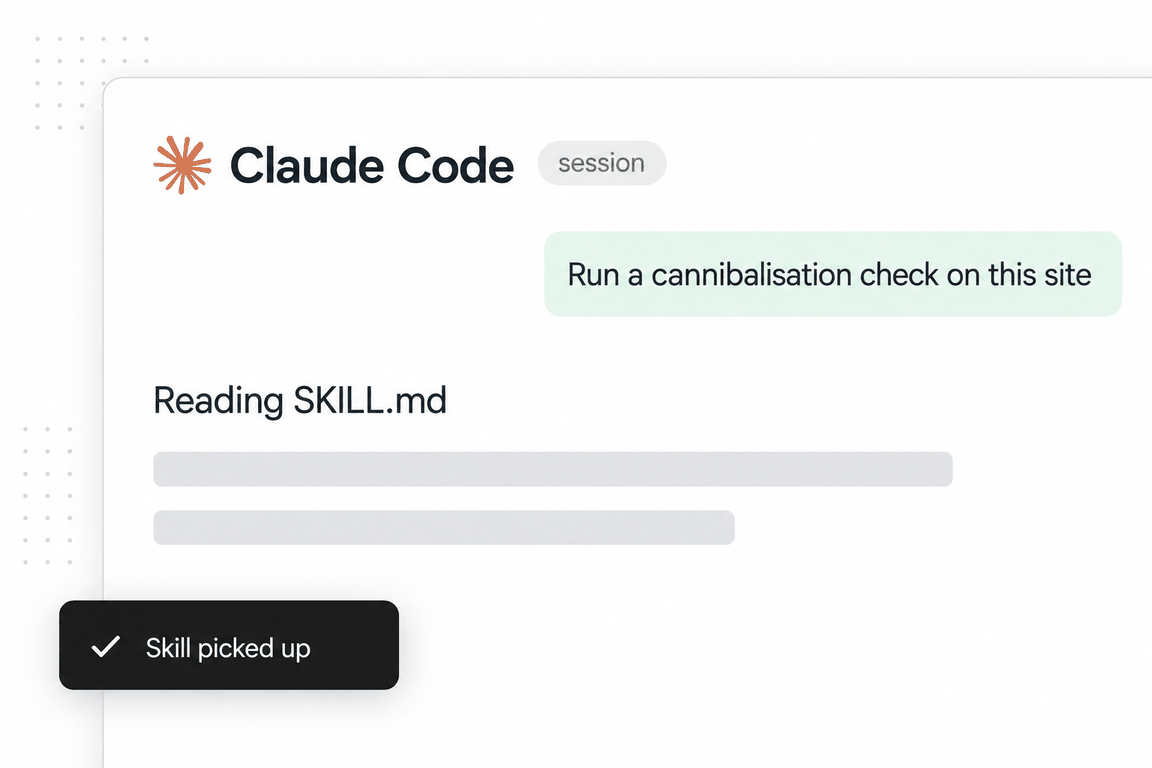
- Step 04Ask the agent for the job; it reads the skill
analyticsaddition-labs/skillsMIT licencev2.0.1updated 2026-09-05
The skill is the upstream of everything else on this shelf. Attribution assumes tracking exists; A/B testing assumes conversions are recorded; paid media assumes a pixel fires. This one writes the plan those depend on.
Its principles are the ones that survive contact with a real GTM container: track for decisions not data, start from the questions, name things consistently (lowercase, underscores, object_action), keep context in properties not event names, no PII in properties.
It is short, 1,222 words, with the event library, GA4 and GTM details in three reference files. The output is a tracking plan document with events, custom dimensions and conversions in tables.
When to use it
The phrases that trigger it
Say any of these and an agent that has the skill installed will usually load it; you can also call it by name. The phrases are the skill’s own, from its description.
- set up tracking
- GA4
- conversion tracking
- event tracking
- UTM parameters
- tag manager
- tracking plan
- are my events firing
- analytics isn’t working
What’s inside
The playbook, section by section
Tracking plan framework
Event name, category, properties, trigger, notes; four event types from pageviews to custom conversions.
Essential events by surface
Marketing site (cta_clicked, form_submitted, signup_completed, demo_requested) and product (onboarding_step_completed, feature_used, purchase_completed, subscription_cancelled).
GA4 in five steps and GTM in three parts
Property, gtag or GTM, enhanced measurement, custom events, conversions; tags, triggers, variables with the dataLayer pattern.
UTM strategy
Five parameters, lowercase, one separator, specific values, documented in a spreadsheet.
Debugging and validation
DebugView, Preview mode, Tag Assistant; a six-item checklist; the three common issues and where to look.
Privacy
Consent mode, IP anonymisation, data retention, deletion capability, a consent management platform for EU, UK and California.
Reference files the agent loads on demand
3 files in the skill folder, read only when an instruction calls for one.
event-library.md- Events to track for marketing sites, product and app, monetisation, ecommerce and B2B SaaS, with parameters and funnel sequences.
ga4-implementation.md- GA4 in detail: configuration, custom events, conversions, custom dimensions, audiences, debugging, the Google Ads link.
gtm-implementation.md- Tag Manager containers: tags, triggers, variables, naming conventions and data-layer patterns for page loads, forms and clicks.
See it in action
One real run, in full
The request on the left went to the skill as installed. On the right is everything it returned, unedited; scroll inside the box to read it all.
Write the GA4 tracking plan for addition-labs.com, a B2B agency site. Conversions we care about: the contact form on /contact, the 'ask for an audit' modal, a Calendly booking, and use of the 16 calculators under /tools (a calculation completed, a result copied). Give the events, properties, conversions and the GTM approach.
addition-labs.com Tracking Plan
Overview
- Tools: GA4 (web data stream) + Google Tag Manager (web container)
- Site type: B2B agency, multi-page static site (Vite build), no login, no ecommerce
- Last updated: 2026-09-11
- Decisions this data must inform: which pages and CTAs produce leads (contact form, audit request, booked call), whether the 16 tools under
/toolscreate leads or only traffic, and which acquisition channels are worth more budget.
What the live site already has (measured on 2026-09-11, not assumed)
I fetched /, /contact, /tools, /tools/roas-calculator and the four JS chunks they ship. Findings that shape the plan:
| Finding | Consequence for the plan | |
|---|---|---|
No GTM container, no gtag, no dataLayer in any shipped chunk. | Greenfield GA4 install. Nothing to migrate, nothing to de-duplicate. | |
An in-house event layer already exists (window.__analytics.track) with six event names: cta_open, prompt_step, form_start, form_submit, tool_use, source_click. Events are pushed to an in-memory queue and never sent anywhere (durum() reports ga4: "KIMLIK YOK"). | Keep the hook points, rename the events to this plan, and make track() push to dataLayer. Do not build a second event layer. | |
A consent bar already exists: localStorage["addition_consent_v1"] = granted / denied, and it dispatches a addition:consent CustomEvent. Buttons: "Essential only" / "Allow analytics". | Consent Mode v2 in GTM reads this key. No new CMP needed. | |
The contact form (form.contact-form, fields name / email / website / message + a company honeypot) submits by fetch("/api/lead") with preventDefault(). Success is a status message, not a thank-you URL. | GTM's built-in Form Submission trigger cannot tell success from failure. The success event must be pushed from code after res.ok. | |
"Ask for an audit" is a modal, opened by [data-ijr-audit] buttons carrying an audit type: seo-aeo, google-ads, whole-journey (and chatgpt-ads appears in code). It also posts to /api/lead. | audit_type is a real, available property. Track open and successful submit separately. | |
"Book a meeting" / "Schedule a meeting" is not Calendly in the shipped code. It is a first-party slot picker: GET /api/slots, then POST /api/book. If no slots load it falls back to the audit modal. | Booking events are pushed from the first-party handler. A Calendly listener is included below in case Calendly is introduced, but nothing on the site today would fire it. | |
/tools lists 16 tools: 13 calculators and 3 generators (hreflang-generator, llms-txt-generator, schema-generator). Grouped on the page as Search and AI visibility / Paid media / Customers and revenue / Conversion. | The request says "16 calculators". The plan uses one event family for all 16 with `tool_type = calculator | generator`, so "calculation completed" and "output generated" are the same event. |
Each tool has [data-copy] (clipboard) and [data-save] (download) buttons and a "next step" button ([data-beside-opt="whole-journey"]) that leads to the audit. | "Result copied" is a real click with a resolved clipboard promise. The tool-to-audit bridge is the most valuable click on the tools pages and gets its own event. | |
Existing form_submit fires on the native submit event (before the network call) and tool_use fires on the first DOM mutation of the output. | Both are "attempted", not "completed". Replaced by success-gated events below. |
Events
Naming: lowercase object_action, context in parameters not in the name, no PII in any parameter. All events are pushed to dataLayer from site code (the existing track() function) except the automatic ones.
Automatic (GA4 enhanced measurement)
| Event Name | Description | Properties | Trigger |
|---|---|---|---|
| page_view | Every page load. Multi-page site, so no history-change handling is needed. | page_location, page_referrer, page_title (+ content_group, see below) | Google Tag, All Pages |
| scroll | 90 % depth | percent_scrolled | Enhanced measurement, on |
| click (outbound) | Click to an external domain | link_url, link_domain, outbound | Enhanced measurement, on |
| file_download | Only fires for real file links. The tools' "Save" button creates a Blob download, which enhanced measurement does not see; it is tracked as tool_result_saved instead. | file_name, file_extension | Enhanced measurement, on |
| form_start / form_submit (enhanced) | Turn OFF. They would double-count the explicit form events below and fire on the honeypot-carrying forms. | Enhanced measurement, off |
Lead conversions (the three that matter)
| Event Name | Description | Properties | Trigger |
|---|---|---|---|
| contact_form_started | First focus on any field of the contact form | form_name=contact, form_location (contact-dock today; the existing source value), page_path | First focusin inside form.contact-form (existing hook, once per form instance) |
| contact_form_submitted | Contact form accepted by the server | form_name, form_location, page_path, has_website (true/false), has_message (true/false) | In ae() after fetch("/api/lead") returns res.ok. Never on the native submit event. |
| contact_form_failed | Server or network rejected the form | form_name, error_type (invalid / delivery / network, the existing why values) | In ae() on the non-ok branch |
| audit_modal_opened | Audit modal shown | audit_type (seo-aeo / google-ads / whole-journey / chatgpt-ads), cta_location (section or component that opened it, e.g. process-close, tool-next-step, booking-fallback), page_path | Where x(auditType, …) / T(...) opens the modal |
| audit_requested | Audit request accepted by the server | audit_type, cta_location, page_path, has_website | In the audit modal submit handler after /api/lead returns ok |
| audit_request_failed | Audit request rejected | audit_type, error_type | Non-ok branch of the same handler |
| booking_modal_opened | "Book a call" modal shown and slots requested | booking_channel (the data-open-modal value, often empty), page_path | In he() after the modal is appended |
| booking_slots_unavailable | /api/slots failed or returned no usable slots; user was redirected to the audit modal | reason (http_error / no_slots), page_path | The two fallback branches in he() |
| booking_slot_selected | User picked a time and reached the details form | booking_channel, slot_day_offset (integer days from today, not the timestamp), page_path | When the slot form is rendered |
| booking_completed | /api/book returned 2xx | booking_provider=first_party, booking_channel, slot_day_offset, page_path | After the fetch resolves ok |
| booking_failed | /api/book failed or slot was taken | booking_provider, error_type (slot_taken for 409 / network / http_error) | The catch and 409 branches |
If Calendly is ever embedded (not the case today), the same booking_* events are fired from a message listener with booking_provider=calendly. Calendly posts calendly.event_type_viewed, calendly.date_and_time_selected and calendly.event_scheduled to the parent window; map them to booking_modal_opened, booking_slot_selected, booking_completed. I could not verify those event names against a fetched primary source in this run (Calendly's help page is client-rendered); confirm them in Calendly's "Notifying the parent window" article before wiring.
Tools (16 under /tools)
| Event Name | Description | Properties | Trigger |
|---|---|---|---|
| tool_started | First input change on a tool | tool_slug, tool_group, tool_type | First input/change inside [data-tool], once per page load |
| tool_completed | A valid result was rendered (calculator produced a number, generator produced output). Replaces the existing tool_use, which fired on any DOM mutation including empty state. | tool_slug, tool_group, tool_type, currency (calculators only, from the currency select), fields_used (count of non-empty inputs) | In the tool's render function when the result is non-empty and not the tl__empty state. Fire once per page load, then again only if the result changes after at least one further input change (throttle to avoid one event per keystroke). |
| tool_result_copied | Copy button, clipboard write succeeded | tool_slug, tool_group, tool_type | In the [data-copy] handler inside .then() of navigator.clipboard.writeText, not on click |
| tool_result_saved | Save button, Blob download triggered | tool_slug, tool_group, tool_type | In the [data-save] handler after w.click() |
| tool_next_step_clicked | The "next step" button on a tool page that leads into the audit modal | tool_slug, tool_group, audit_type (whole-journey from data-beside-opt) | Click on [data-beside-opt] |
tool_slug = the last URL segment (roas-calculator, hreflang-generator, …). tool_group = the group heading id on /tools: search, spend, customer, cro. tool_type = calculator or generator. Do not send input values or results (revenue, spend, margins are the visitor's business data and are not needed for any decision above).
Engagement (secondary)
| Event Name | Description | Properties | Trigger |
|---|---|---|---|
| cta_clicked | Any button that opens contact, audit or booking. Replaces the existing cta_open and prompt_step. | cta_label (button text, max 60 chars), cta_location, cta_target (contact / audit / booking), page_path | Click on [data-contact-open], [data-open-modal], [data-ijr-audit], [data-beside-opt], [data-plan], .planpick__btn |
| source_link_clicked | Outbound click on a cited source in an article. Keeps the existing source_click. | link_domain, page_path | Existing selector .art__srclist a[href^="http"], .art__src-pub a[href^="http"] |
| consent_updated | Visitor answered the consent bar | consent_state (granted / denied) | The addition:consent CustomEvent. Sent as a cookieless ping under Consent Mode when denied, so the denial rate itself is measurable. |
content_group (page classification)
Push on every page before the container loads, from document.body.dataset.page (already set on the site):
| content_group | Pages |
|---|---|
| home | / |
| services | /services, service and sub-service pages |
| industries | industry pages |
| tools | /tools, /tools/* |
| resources | /resources, articles |
| case_studies | case study pages |
| contact | /contact |
| about, legal | the rest |
Custom Dimensions
All event-scoped unless stated. 14 of the 50 event-scoped slots. Register these in GA4 before the events start flowing or the parameters will not be reportable.
| Name | Scope | Parameter |
|---|---|---|
| Form name | Event | form_name |
| Form location | Event | form_location |
| Audit type | Event | audit_type |
| CTA label | Event | cta_label |
| CTA location | Event | cta_location |
| CTA target | Event | cta_target |
| Booking provider | Event | booking_provider |
| Booking channel | Event | booking_channel |
| Tool slug | Event | tool_slug |
| Tool group | Event | tool_group |
| Tool type | Event | tool_type |
| Error type | Event | error_type |
| Consent state | Event | consent_state |
| Content group | Event | content_group (GA4 reserves this as a built-in dimension when sent on page_view; register only if you also want it on custom events) |
Custom metrics: slot_day_offset (Event, integer, unit standard) and fields_used (Event, integer). Both optional; register them only if the lead-time and tool-depth questions are asked.
No user-scoped dimensions. There is no login and no user ID.
Conversions
GA4 now calls these key events (confirmed against Google's "About key events" help page, fetched 2026-09-11). Conversions for bidding are created in Google Ads from key events, not in GA4.
Primary key events (import to Google Ads, report as "leads")
| Conversion | Event | Counting | Value |
|---|---|---|---|
| Contact form lead | contact_form_submitted | Once per session | none (no revenue data at this point) |
| Audit request | audit_requested | Once per session | none |
| Booked call | booking_completed | Once per event | none |
Micro key events (GA4 only, do NOT import to Ads)
| Conversion | Event | Counting |
|---|---|---|
| Tool completed | tool_completed | Once per session |
| Tool result copied | tool_result_copied | Once per session |
| Tool to audit bridge | tool_next_step_clicked | Once per session |
Reason for the split: marking tool events as key events makes the tools funnel visible in the standard Key events reports, but importing them into Google Ads would train Smart Bidding on visitors who use free calculators rather than visitors who become leads.
Attribution values (visit count, revenue per lead) are not set here. If a lead value is needed later, set a static default value per key event in GA4 Admin rather than sending a fabricated value parameter.
GTM approach
Container
One web container, one workspace per change, versions named per the reference format (v3: tools events + key events).
Load order (in <head>)
window.dataLayer = window.dataLayer || [];- Consent Mode default (below) and the page-level push (
content_group,page_type). - GTM snippet.
- The site bundle.
track()pushes land after GTM has loaded; earlier pushes are queued in the array and picked up.
Consent Mode v2, wired to the existing consent bar
Before the GTM snippet, in the page (not in a tag, so it runs first):
<script>
window.dataLayer = window.dataLayer || [];
function gtag(){dataLayer.push(arguments);}
var c = 'unset';
try { c = localStorage.getItem('addition_consent_v1') || 'unset'; } catch (e) {}
gtag('consent', 'default', {
  analytics_storage: c === 'granted' ? 'granted' : 'denied',
  ad_storage: 'denied',
  ad_user_data: 'denied',
  ad_personalization: 'denied',
  wait_for_update: 500
});
window.addEventListener('addition:consent', function (e) {
  var state = e.detail === 'granted' ? 'granted' : 'denied';
  gtag('consent', 'update', { analytics_storage: state });
  dataLayer.push({ event: 'consent_updated', consent_state: state });
});
</script>
Ad-side consent stays denied until Google Ads or LinkedIn tags are added and the bar's copy names advertising cookies; today it only says "show us how it is used".
In GTM: Admin > Container settings > enable Consent Overview. The Google Tag needs no extra consent requirement (built-in). Any future ad pixel gets ad_storage as a required consent.
Data layer contract (what site code pushes)
Rework the existing track(name, props) so it pushes to dataLayer instead of the dead queue:
// src: replace g() in the analytics module
function track(event, props) {
  window.dataLayer = window.dataLayer || [];
  window.dataLayer.push(Object.assign({ event: event, page_path: location.pathname }, props || {}));
}
Success-gated pushes go where the network result is known:
// contact form, in ae() after the fetch
if (res.ok) {
  track('contact_form_submitted', {
    form_name: 'contact',
    form_location: payload.source,          // "contact-dock"
    has_website: Boolean(payload.site),
    has_message: Boolean(payload.note)
  });
} else {
  track('contact_form_failed', { form_name: 'contact', error_type: why });
}

// booking, after POST /api/book
if (res.ok) {
  track('booking_completed', {
    booking_provider: 'first_party',
    booking_channel: channel || '',
    slot_day_offset: Math.round((new Date(start) - Date.now()) / 864e5)
  });
}

// tool copy, inside the clipboard promise
navigator.clipboard.writeText(payload).then(function () {
  track('tool_result_copied', toolProps(el));
});
toolProps(el) reads tool_slug from location.pathname, tool_type from a data-tool-type attribute added to the [data-tool] root, and tool_group from a data-tool-group attribute on the same root (the tools index already knows the group; add it to each tool page's root element so the event does not depend on a lookup table in GTM).
Tags
| Tag | Type | Trigger | |||||||||||||
|---|---|---|---|---|---|---|---|---|---|---|---|---|---|---|---|
| Google Tag - GA4 | Google Tag (Measurement ID G-…). Fields: content_group = {{DL - content_group}}. Send page view: on. | All Pages | |||||||||||||
| GA4 - Event - Contact Form Submitted | GA4 Event, event name contact_form_submitted, params form_name, form_location, has_website, has_message | Custom Event contact_form_submitted | |||||||||||||
| GA4 - Event - Audit Requested | params audit_type, cta_location, has_website | Custom Event audit_requested | |||||||||||||
| GA4 - Event - Booking Completed | params booking_provider, booking_channel, slot_day_offset | Custom Event booking_completed | |||||||||||||
| GA4 - Event - Tool Completed | params tool_slug, tool_group, tool_type, currency, fields_used | Custom Event tool_completed | |||||||||||||
| GA4 - Event - Tool Result Copied | params tool_slug, tool_group, tool_type | Custom Event tool_result_copied | |||||||||||||
| GA4 - Event - Passthrough | GA4 Event, event name {{Event}}, params from a single "DL - passthrough" set: cta_label, cta_location, cta_target, audit_type, error_type, reason, link_domain, consent_state, booking_channel, tool_slug, tool_group, tool_type | Custom Event, regex: `^(contact_form_started\ | contact_form_failed\ | audit_modal_opened\ | audit_request_failed\ | booking_modal_opened\ | booking_slots_unavailable\ | booking_slot_selected\ | booking_failed\ | tool_started\ | tool_result_saved\ | tool_next_step_clicked\ | cta_clicked\ | source_link_clicked\ | consent_updated)$` |
The five key events get their own explicit tags so a change to any one of them is a visible, reviewable version diff. Everything else goes through one passthrough tag; GA4 drops parameters that are undefined, so empty variables are harmless.
The GTM reference in this skill still calls the base tag "GA4 Configuration"; in the current GTM UI it is the Google Tag. Same job.
Triggers
| Trigger | Type | Condition |
|---|---|---|
| All Pages | Page View | |
| Custom - contact_form_submitted | Custom Event | event equals contact_form_submitted |
| Custom - audit_requested | Custom Event | event equals audit_requested |
| Custom - booking_completed | Custom Event | event equals booking_completed |
| Custom - tool_completed | Custom Event | event equals tool_completed |
| Custom - tool_result_copied | Custom Event | event equals tool_result_copied |
| Custom - passthrough set | Custom Event, regex matching on | the regex above |
| Exception - internal traffic | Custom Event .*, used as an exception on every GA4 tag | {{Cookie - addition_internal}} equals 1 (set the cookie once on team browsers via a ?internal=1 handler) |
No built-in Form Submission, Click or Element Visibility triggers. Every trigger is a Custom Event from dataLayer, because every conversion on this site resolves in JavaScript, not in a navigation.
Variables (user-defined)
| Variable | Type | Notes |
|---|---|---|
| DL - content_group, DL - form_name, DL - form_location, DL - audit_type, DL - cta_label, DL - cta_location, DL - cta_target, DL - booking_provider, DL - booking_channel, DL - slot_day_offset, DL - tool_slug, DL - tool_group, DL - tool_type, DL - currency, DL - fields_used, DL - error_type, DL - reason, DL - link_domain, DL - consent_state, DL - has_website, DL - has_message | Data Layer Variable, version 2 | one per parameter, same name as the parameter |
| Const - GA4 Measurement ID | Constant | G-… |
| Cookie - addition_internal | 1st Party Cookie | internal traffic flag |
Built-in variables to enable: Event, Page Path, Page URL, Referrer.
GA4 property settings to change on day one
- Data retention: 14 months (default is 2).
- Enhanced measurement: scroll on, outbound clicks on, file download on, site search off (no search on the site), video off, form interactions off.
- Define internal traffic (Admin > Data streams > Configure tag settings) by the team's IPs, and activate the filter.
- Mark the six key events after the first confirmed hit of each in DebugView (an event cannot be marked before GA4 has seen it once; create it by name if you want the flag in place before launch).
- Google Signals: leave off until an advertising use exists; it changes thresholding in reports.
Validation checklist
Run in GTM Preview with ?debug_mode=true so DebugView shows the same hits.
- [ ] Load
/: exactly onepage_view,content_group = home. No event fires twice. - [ ] Deny consent, reload:
page_viewstill arrives as a cookieless ping (no_gacookie set). Grant consent:consent_updatedwithgranted,_gacookie appears. - [ ]
/contact: focus a field -> onecontact_form_started. Submit with an invalid email ->contact_form_failedwitherror_type = invalid, nocontact_form_submitted. Submit valid -> exactly onecontact_form_submitted, andhas_websitematches whether the URL field was filled. - [ ] Confirm no parameter carries name, email, website URL or message text. Check the network payload to
google-analytics.com/g/collect, not only the GTM panel. - [ ] Open the audit modal from three places (home process section, a tool page next step, booking fallback):
cta_locationdiffers each time,audit_typeis populated. - [ ] Book a call end to end on a test slot:
booking_modal_opened->booking_slot_selected->booking_completedonce. Cancel the test booking afterwards. Force a 409 (book the same slot twice) ->booking_failedwithslot_taken. - [ ]
/tools/roas-calculator: type into one field -> onetool_started; a valid result -> onetool_completed; keep typing -> no flood oftool_completed(throttle works). Clear the inputs to the empty state -> notool_completed. - [ ] Copy ->
tool_result_copiedonly after the button reads "Copied". Save ->tool_result_saved, and enhanced measurement did not also sendfile_download. - [ ] A generator (
/tools/schema-generator):tool_type = generator,currencyabsent. - [ ] Mobile Safari: repeat the contact and tool checks (clipboard permission behaves differently).
- [ ] GA4 Admin > Custom definitions: all 14 dimensions registered with the exact parameter names. Wait 24 to 48 h, then confirm each appears in an Exploration.
- [ ] Key events: the six flagged, counting methods as in the table, only the three lead events linked into Google Ads (if an Ads account is linked).
Common failure modes for this site specifically: the honeypot company field must never be sent as a parameter; tool_completed must not fire on page load for calculators with default values pre-filled (roas-calculator ships with revenue 48000 and spend 12000 pre-filled, so the first render already shows a result: fire only after a user input).
Privacy and compliance
- The consent bar and its localStorage key already exist; Consent Mode makes GA4 respect them. Analytics storage defaults to denied, so EU/UK visitors are covered by the existing "Essential only" choice.
- No PII is sent: no names, emails, website URLs, message text, calculator inputs or results. Booleans and counts only.
- The
companyhoneypot value never enters the data layer. - Data retention 14 months; the site has no user accounts, so no deletion workflow is needed beyond GA4's own.
- Update
/cookiesto name Google Analytics and the_ga/_ga_*cookies once the tag is live.
Open questions (the skill's task-specific questions not answered by the request or the site)
- Who implements? Every success-gated event needs a one-line push inside the site's own handlers (
ae(), the/api/bookhandler, the copy/save handler, each tool's render). That is a developer change to the Vite source, not a GTM-only job. GTM alone can only see clicks and submits, which on this site do not equal success. - Calendly or the first-party booker? The request names Calendly; the shipped site books through
/api/slotsand/api/book. If Calendly is planned to replace it, say so and the Calendly listener becomes the primary path; if not, the Calendly rows above are dormant. - Google Ads / LinkedIn? If either runs paid traffic, link the account, import only the three lead key events, and extend the consent bar copy and Consent Mode to
ad_storage. Nothing in the fetched pages indicates a linked ads account. - Microsoft Clarity? The existing analytics module reserves a slot for a Clarity ID. If Clarity is wanted, it goes in as one Custom HTML tag gated on
analytics_storage, with the same internal-traffic exception. - Lead values? Should the three lead key events carry a static value in GA4 for Ads bidding? No basis exists on the site to set one; it needs a number from the pipeline (average first-engagement value), which I do not have.
- Result buckets on tools? The plan deliberately sends no calculator results. If a question like "do visitors with break-even ROAS above X convert more" matters, add a bucketed
result_bandparameter for that one tool rather than raw values.
What this run could not do
It did not know who implements (developer or marketing), whether Google Ads, LinkedIn or Clarity are in play, any lead value, or whether Calendly is planned (the live site ships its own booker). Those are left as open questions; the plan itself was delivered because the request answered the skill's first three questions.
Method behind it
Where we would differ, and why
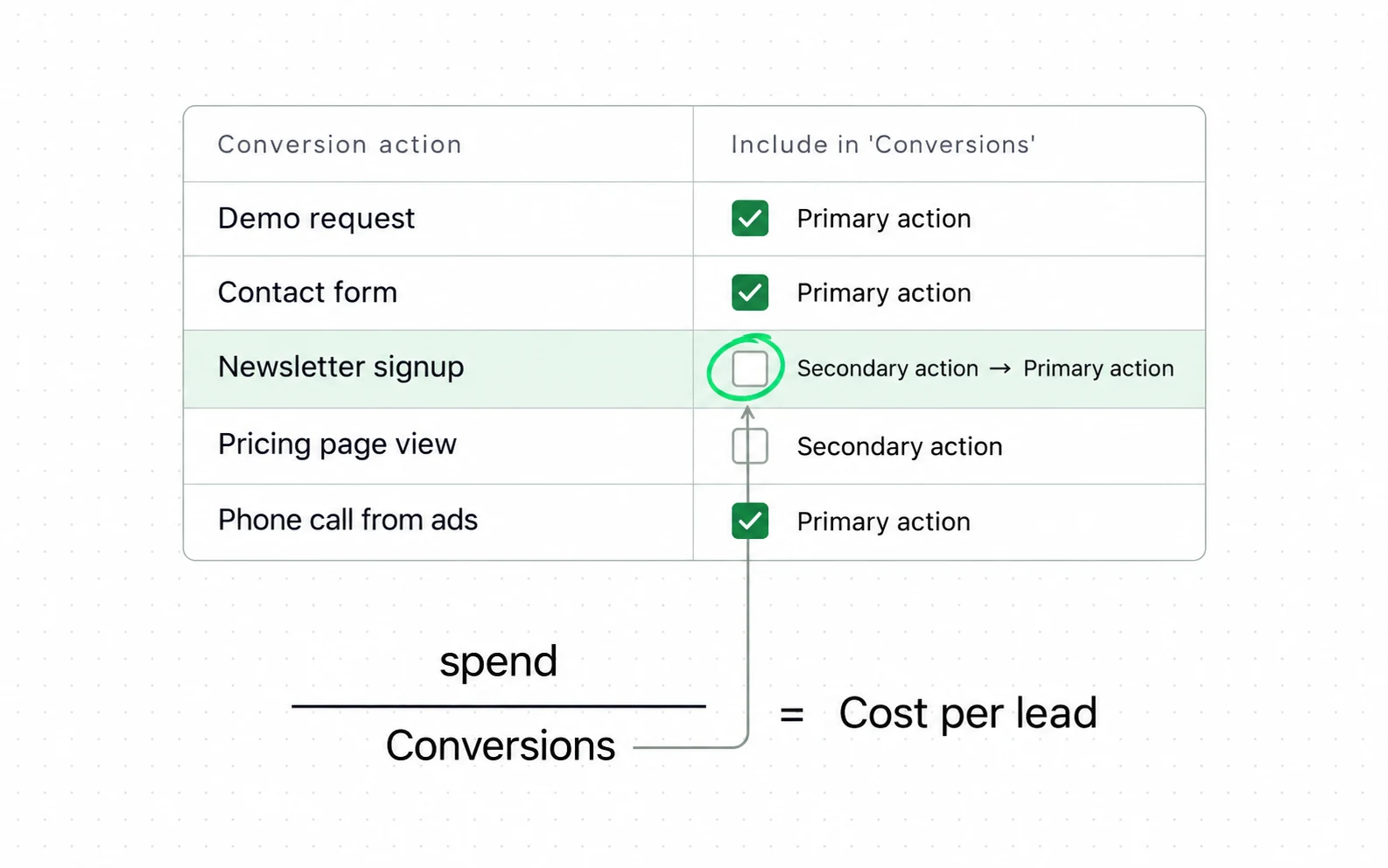
Our cost-per-lead glossary shows what the numbers this plan produces are for: a lead count that means the same thing in the ad platform and the form handler. The skill sets up the events; the glossary shows the ratio they feed.
The GA4 section still says "mark conversions in Admin" and the GTM reference describes a "GA4 Configuration" tag. GA4 renamed conversions to key events and the GTM tag is now the Google Tag; the consent snippet also omits the Consent Mode v2 signals (ad_user_data, ad_personalization). The plan structure survives; the button names have moved.
The GA4 quick setup says "enable enhanced measurement". On a store, enhanced measurement double-fires scroll and outbound events alongside a theme’s own tracking; we switch the overlapping toggles off and say why in the plan.
Consent is a section at the end. For an EU-facing site it is the first decision, because the loader that respects consent decides what the plan can even record.
SKILL.md
The file the agent reads
Written by Corey Haines and published under the MIT licence. Read the full file (1,222 words) on GitHub, at the commit we reviewed: coreyhaines31/marketingskills/skills/analytics/SKILL.md. The reference files are in the same folder.
Questions
Questions people ask before installing
Does it configure GA4 for me?
No. It writes the plan and the snippets. Configuring the property, GTM container and conversions is done by you or a developer; the GA4 MCP on the toolkit shelf can read the result back.
Is it GA4 only?
GA4 and GTM are the worked path; Mixpanel, Amplitude, PostHog and Segment are named as alternatives with the same event structure.
What about Shopify’s own analytics?
Not covered. Shopify’s pixel and the ad platforms’ pixels are a separate layer; this skill plans the web analytics events, and the attribution skill reconciles them with the order system.