
What does hreflang change?
It changes which version a searcher sees, and nothing else. Each URL keeps its own content, canonical and rankings. The annotation only tells Google which versions are equivalent, so the right one reaches the right market.
Say your US and UK product pages both sell the same linen shirt. If both pages are indexed and point to each other, Google can show the UK shopper the UK URL and the US shopper the US URL.
Match your question to the evidence before you change the tags.
| Question | What answers it | What you do next |
|---|---|---|
| Can Google use this URL? | Indexability, response and canonical state | Fix the page before hreflang |
| Which locale URL should appear? | A complete reciprocal hreflang cluster | Inspect the relationship |
| Does this page match the market? | Localized content, offer and search intent | Rewrite the offer and content |
Paste your locale map into the hreflang generator to get a valid block. Give the map one owner, then check the live cluster after deployment.
Check hreflang indexability before implementation
Every URL in the locale map must be indexable on its own before it joins the live cluster. A redirect, noindex rule or cross-locale canonical keeps the URL out.
Open Search Console URL Inspection for every version in one small cluster. Note its index status, fetch result, Google-selected canonical and user-declared canonical.
The URL Inspection tool provides information about Google's indexed version of a specific page, and also allows you to test whether a URL might be indexable.
Google Search Console Help, About the URL Inspection report and test read 8 October 2026
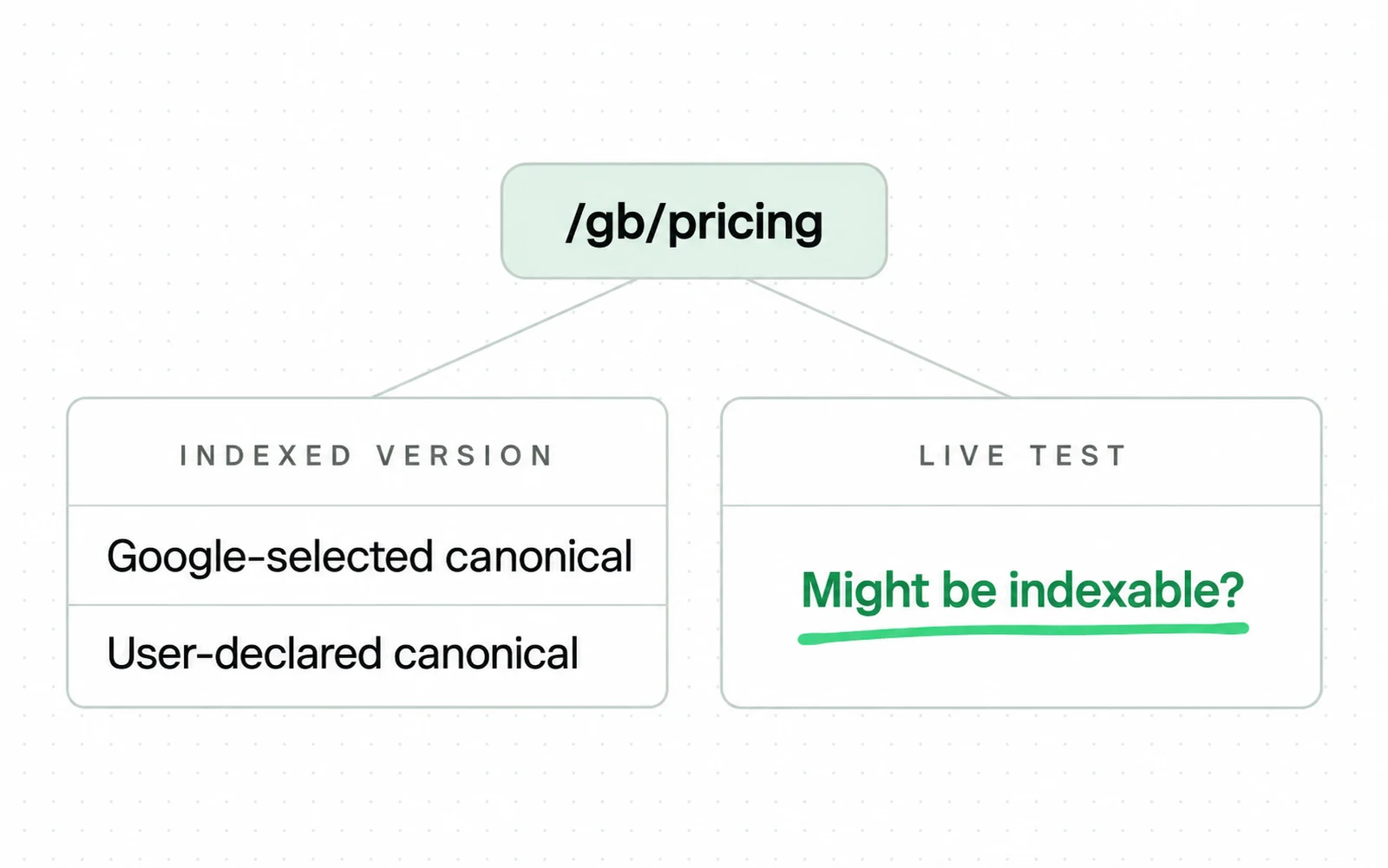
Use indexed data to check the stored canonical. Use the live test to check whether the current release can be indexed.
For example, inspect /us/pricing, /gb/pricing and /de/preise before you inspect their tags. If /gb/pricing has noindex, the other pages' return links won't make it eligible.
Find the URL that cannot join the cluster
locale-index-check.csv
url,response,indexing,declared_canonical,google_canonical,decision
/us/pricing,200,allowed,self,self,READY
1/gb/pricing,200,noindex,self,,FIX INDEXING
/de/preise,200,allowed,self,self,READY
- 1The UK URL returns its content but blocks indexing. Fix that field before you inspect the locale relationship.
- 2An empty Google canonical stays visible until indexed data becomes available.
Next, test the live URL. The indexed result shows what Google stored, while the live test shows whether your release is fetchable and indexable.
Check that the localized URL returns its content without a redirect or error. If it redirects, put the final URL in the cluster and update every reference.
If the locale page carries a noindex it should not have, remove it, then run the live test again before you request a crawl.
Compare both canonical fields. The page should declare itself as canonical, and Google should select the same URL after processing. A cross-locale canonical collapses the versions you're trying to map.
Read the rendered page and check that its main content uses the target language. Translated navigation around an untranslated body doesn't create a complete language version.
Run the same check after a migration because moved locale URLs often retain stale canonicals or old hreflang targets. Update every changed path in the locale map, then include hreflang in the site migration SEO release check.
When the indexing problem reaches past the cluster, check the whole market template instead of the pair. Look for template noindex rules, redirect chains, blocked resources or inconsistent canonicals across a market.
For ecommerce, check whether the product is still sold in a market before you add its URL to the locale map. Take the URL out when it stops selling there.
For SaaS, localize the integration pages your target markets search for. Pair two versions only when they cover the same integration in the target language.
Build one reciprocal hreflang URL map
The locale map decides which pages belong together before any renderer writes hreflang. Fix a wrong pair in the map first, because every page and delivery method copies it.
Start with a stable content identifier. Use a product ID, page ID or translation-group ID as the join key for every localized version.
For example, your linen shirt can live at /us/linen-shirt, /uk/linen-shirt and /de/leinenhemd. The shared product ID tells your exporter that the three URLs belong together.
-
Export every intended version
List the stable content ID, locale code, full URL, response and indexability. Record the canonical URL. Keep an empty cell visible when a translation has not launched.
-
Group equivalents by content ID
Match the pages that serve the same product or answer the same task, even when their slugs use different words.
-
Validate each destination
Reject a URL if it redirects or returns an error. Reject it if it carries noindex or canonicals to another locale.
-
Generate the complete cluster
Write every supported locale relationship from the validated group. Keep the mapping identical wherever that group is emitted.
-
Test both directions
For every A to B relationship, test B to A. Save the failed pair with its owner so it can't disappear inside a sitewide count.
Find the broken country version
linen-shirt-heads.diff
SHARED <head> BLOCK EXPECTED ON ALL THREE PAGES
<link rel="alternate" hreflang="en-US" href="https://shop.example/us/linen-shirt">
<link rel="alternate" hreflang="en-GB" href="https://shop.example/uk/linen-shirt">
<link rel="alternate" hreflang="de-DE" href="https://shop.example/de/leinenhemd">
PAGE DIFF US <head> UK <head> DE <head>
canonical self self self
1cluster SAME AS ABOVE MISSING en-US SAME AS ABOVE
2decision PASS FAIL PASS
- 1The unchanged alternate lines appear once, so compare only the page-level difference.
- 2The UK head omits its return to the US page. Restore that relationship before rollout.
Google says two pages must point to each other or their tags will be ignored. The rule prevents another site from naming itself as your alternate without your confirmation.
In a rollout across many markets, you can leave out cross-links between minor locales. Keep every new locale connected to the original or dominant language. Record each planned omission for the next release owner.
Screaming Frog checks missing return links across crawled alternate URLs. It separates return URLs that are noncanonical, noindex or not 200.
Choose one hreflang implementation method
Put the relationship map in the system that already owns your locale URLs. Let the team that maintains that system pick the method. Google treats HTML link tags, XML sitemap annotations and HTTP Link headers as equivalent.
The three methods are equivalent from Google's perspective and you can choose the method that's the most convenient for your site.
Google Search Central, Tell Google about localized versions of your page updated 21 September 2026
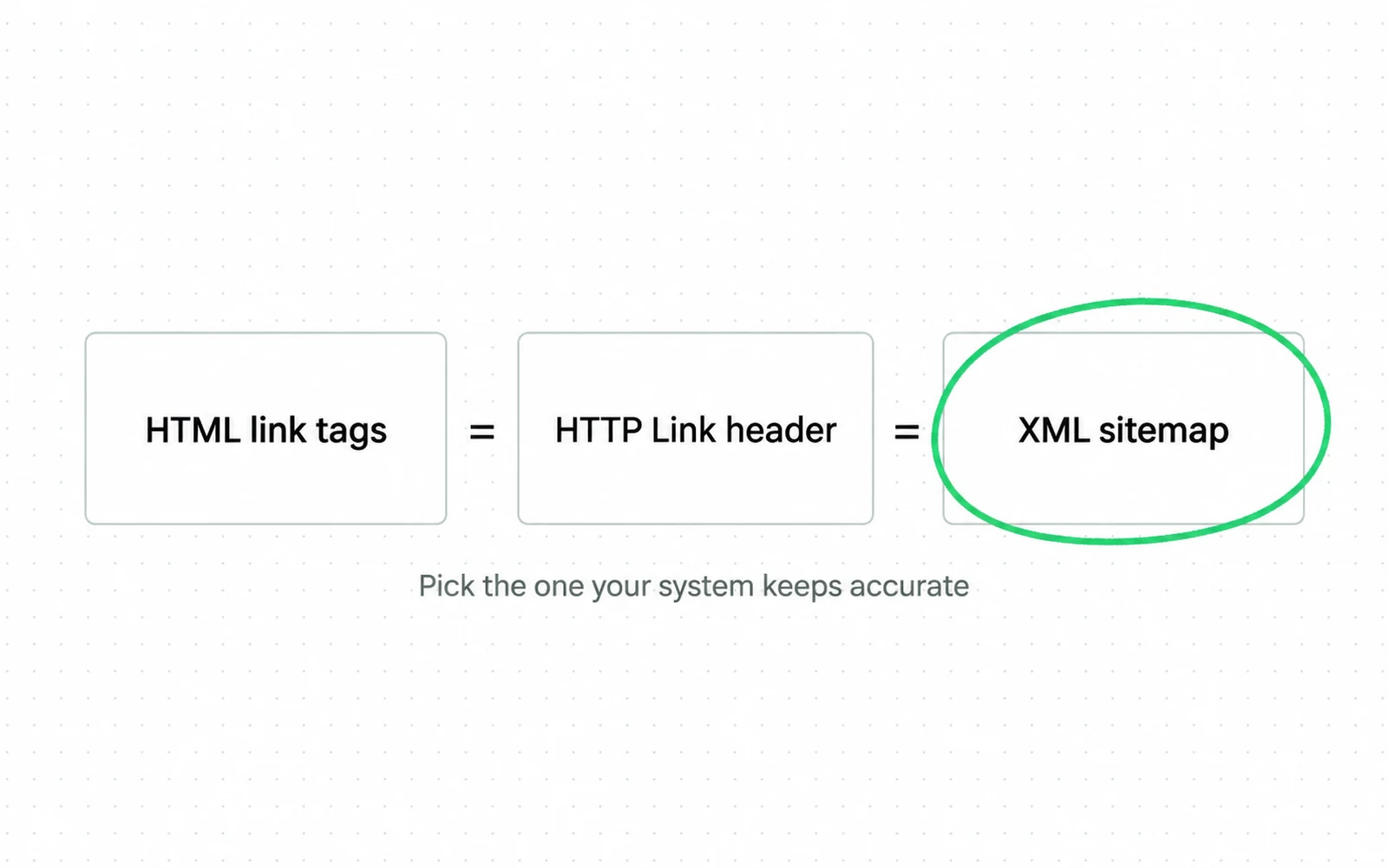
Choose the method your publishing system can keep accurate. Running all three adds maintenance without adding a Search benefit.
Choose HTML when one template already renders the <head> for every localized page. Your CMS can read one locale map and print the complete cluster on each version.
Say you're running a B2B SaaS site with three languages and forty core pages. HTML works when the application knows every translated page's matching slug during rendering.
Choose an XML sitemap when your catalog or content platform already exports a central URL inventory. Each localized URL still needs its own <url> entry with the complete set of alternates.
For example, a store with thousands of product variants can generate its sitemap from the product localization table. You can then test the same table for missing pairs before deployment.
Choose HTTP Link headers for non-HTML files such as localized PDF manuals. Your server or CDN must return the full alternate set with every version of the file.
Pick the owner first, then use the method in that row.
| Method | Best owner | Choose it when | Main failure |
|---|---|---|---|
HTML <link> | Page template or CMS | The renderer knows every equivalent URL | One template prints a stale or partial set |
| XML sitemap | Catalog or publishing export | A central feed owns every locale pair | The sitemap drifts from live canonicals |
| HTTP Link header | Server or CDN | The asset has no HTML head | Header rules miss a file path or host |
Don't run all three methods at once just to be safe. Google says using all three adds no Search benefit. Tags in two places make a broken cluster harder to diagnose.
Shopify adds hreflang automatically when a market in Markets has its own domain, subdomain or subfolder. It updates the tags when market settings change. Shopify does not generate alternate annotations when several markets share one URL.
Check your Shopify SEO configuration before adding theme code or an app. Shopify lets you disable automatic tags, but don't do it until another implementation is ready.
The real cost of any method is keeping the locale map up to date. If you can't update every pair after a page change, choose a different method.
Give the locale map and its checks one owner before the next release. If nobody holds that job yet, it is the core of international SEO work, whether you hire for it or buy it.
Diagnose the broken hreflang relationship
A broken locale map usually fails in one of four areas. Check reciprocity, canonical alignment, URL eligibility and code validity in that order. If the first layer fails, the tag check tells you nothing.
First, test the exact pair that produced the wrong result. A sitewide error count doesn't tell you whether /uk/shoes returns to /us/shoes.
For example, your crawler might report a missing return tag on the US page. Open the UK page and inspect its rendered head. Then check its US canonical target.
Find your symptom in the first column, then run the test beside it.
| Symptom | Failure class | Next test |
|---|---|---|
| One locale does not point back | Missing return relationship | Compare both rendered sets |
| Locale page canonicals to another market | Canonical conflict | Compare declared and Google-selected canonicals |
| Alternate redirects or returns an error | Ineligible destination | Replace it with the final successful URL |
| Alternate carries noindex | Indexing conflict | Remove noindex and retest live |
| Language or region value is unsupported | Code failure | Validate the value against Google-supported formats |
Second, compare each self-declared canonical with the URL used in the cluster. Google recommends canonicalization and hreflang together for regional variants that use the same language.
Say /gb/office-chair canonicals to /us/office-chair. You're asking Google to keep both market URLs through annotations, while the canonical asks Google to consolidate them.
Third, replace every redirected or broken target with its final successful URL. Semrush flags language mismatches after it checks redirects, noncanonical URLs and broken URLs.
Fourth, validate the language and optional region. Google supports an ISO 639-1 language code followed by an optional ISO 3166-1 Alpha 2 region code, and a region cannot stand alone.
Compare sitemap annotations with the rendered HTML when both exist. If the two sets disagree, remove the duplicate method or regenerate both from one map.
Bing supports hreflang for language and regional targeting too. Run the same map checks there.
A crawler finds broken pairs, while source inspection shows what the browser received.
Verify the live hreflang cluster
Verify the live cluster against its source, crawl and index data. Then check the search results, because the old URL can stay visible after a correct deployment.
Crawl every URL in the changed cluster. Export its response, indexability, canonical, hreflang target and return status.
For example, a launch in the US, the UK and Germany creates three rows under one content ID. Trace each failed field to the owner of the template, feed or market.
Assign the failed field to its owner
hreflang-release-log.csv
content_id,locale,source,crawl,indexed_canonical,owner,status
SKU-1842,en-US,complete,pass,self,template,CLOSED
1SKU-1842,en-GB,complete,pass,en-US,seo,OPEN
SKU-1842,de-DE,complete,pass,self,catalog,CLOSED
- 1Source and crawl checks pass for the UK page. Its stored canonical still points to the US version.
- 2Keep the failed field beside its owner so the incident cannot close on a sitewide total.
-
Inspect the rendered source
Confirm the live page emits the intended method and complete cluster. Do not rely on a CMS preview or a stale deployment file.
-
Crawl every alternate
Resolve each target, then capture its final status, indexability, canonical and return relationship in one row. Put the failing URL beside the failed field.
-
Inspect priority URLs in Search Console
Check the indexed state and Google-selected canonical for one URL in every changed template and market. Use the live test after a fix.
-
Compare country and page data
Use Search Console performance filters to see which URL appears for the intended country. Compare page and country together instead of reading a domain total.
-
Schedule regression crawls
Run the cluster audit after a release that adds, removes or moves a localized page. Run it again after a translation or canonical change. Send each failure to the system owner.
Reopen the cluster in your SEO audit whenever Google selects a different canonical. Reopen it after any site migration SEO release that moves a localized URL.
Close the incident only after the URL is indexed and its canonical is correct. The reciprocal pair must pass, and the intended locale URL must appear for the tracked country query.
Sources
- Google Search Central Tell Google about localized versions of your page
- Google Search Central Managing multi-regional and multilingual sites
- Google Search Console Help URL Inspection tool
- Google Search Central What is URL canonicalization
- Shopify Help Center International SEO for markets
- Bing Webmaster Blog Does Duplicate Content Hurt SEO and AI Search Visibility? Dated 2025 with no month given, so its exact age is not knowable from the source.
- HTTP Archive SEO, The 2025 Web Almanac
- GlotEO Research The State of the Multilingual Web 2026
- Ahrefs Over 67% of Domains Using Hreflang Have Issues
- Ahrefs Hreflang: The Easy Guide for Beginners Dated 2025 with no month given, so its exact age is not knowable from the source.
- Semrush Hreflang Attributes and Tags Explained for Beginners Dated 2025 with no month given, so its exact age is not knowable from the source.
- Search Engine Journal What Are The Most Common Hreflang Mistakes? Dated 2025 with no month given, so its exact age is not knowable from the source.
- Search Engine Land Why global sites amplify technical errors Dated 2025 with no month given, so its exact age is not knowable from the source.
- Backlinko What Is Hreflang and How To Implement It the Right Way Dated 2025 with no month given, so its exact age is not knowable from the source.
- Screaming Frog How To Audit and Test Hreflang This page carries no publication date of its own.
- Search Engine Land Hreflang: The hidden crisis in international SEO Dated 2025 with no month given, so its exact age is not knowable from the source.
Questions people ask
What is hreflang used for?
Hreflang maps equivalent language or regional URLs. Google uses the map when it decides which localized version to show a searcher.
Is hreflang a ranking signal?
No. Hreflang changes the localized URL Google may show. Rankings still come from the page itself, so judge its content and how well it answers the query.
Should you use HTML or an XML sitemap?
Use HTML when your page renderer owns the locale map. Use an XML sitemap when a central catalog or publishing export owns it. Use HTTP Link headers for files with no HTML head.
How do you fix missing return tags?
Open both localized pages and compare their complete alternate sets. Add the missing relationship to the source map, regenerate the cluster, then crawl both directions again.
Does Shopify add hreflang automatically?
Shopify adds hreflang when Markets gives a market and language its own domain, subdomain or subfolder. Markets that share one URL do not create separate alternate URLs for Shopify to annotate.